A 360° rotating phone armband lets you turn the phone holder by hand to choose its orientation on your arm. It does not automatically keep the screen facing you as your arm swings, and rotation does not eliminate phone movement.
For a beginner, the useful question is whether you want to change how the phone sits before starting or while stopped. If you already like your current carrier, rotation alone is not a reason to replace it. Think about when you actually use your phone: perhaps to start a running app at the door, then check your route at a safe stopping point.
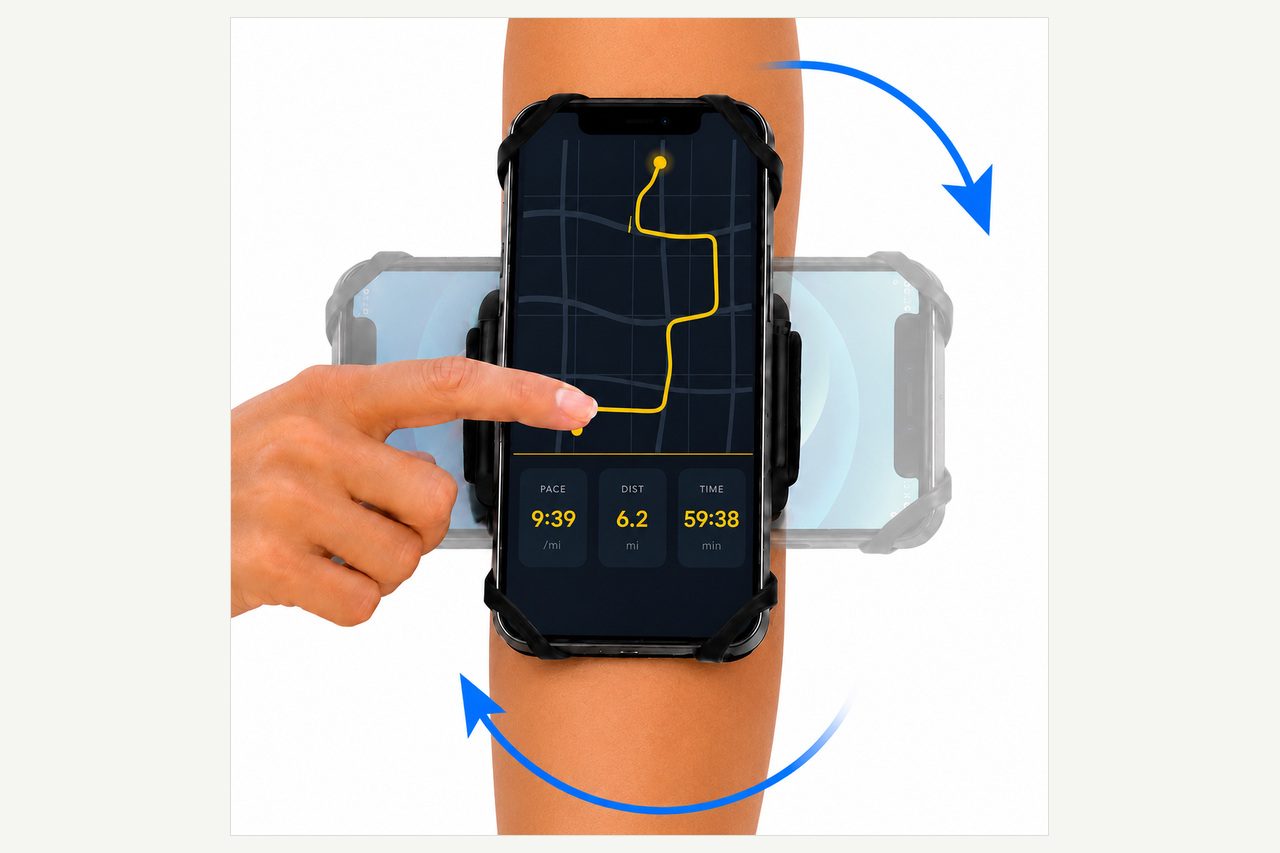
What rotates, and what stays on your arm?
On the LULURUN running armband, the mount rotates a full 360°. The open silicone holder grips the phone at its corners and leaves the screen exposed, with no phone pouch or plastic window over it. Rotation changes the orientation of that mounted holder and phone; it does not mean turning the strap around your arm.
You might prefer the phone lengthwise along your arm or turned sideways. Those are personal choices, not settings that make your running form better. Choose an orientation while standing still and see whether it suits how you want to view the screen at a stop.
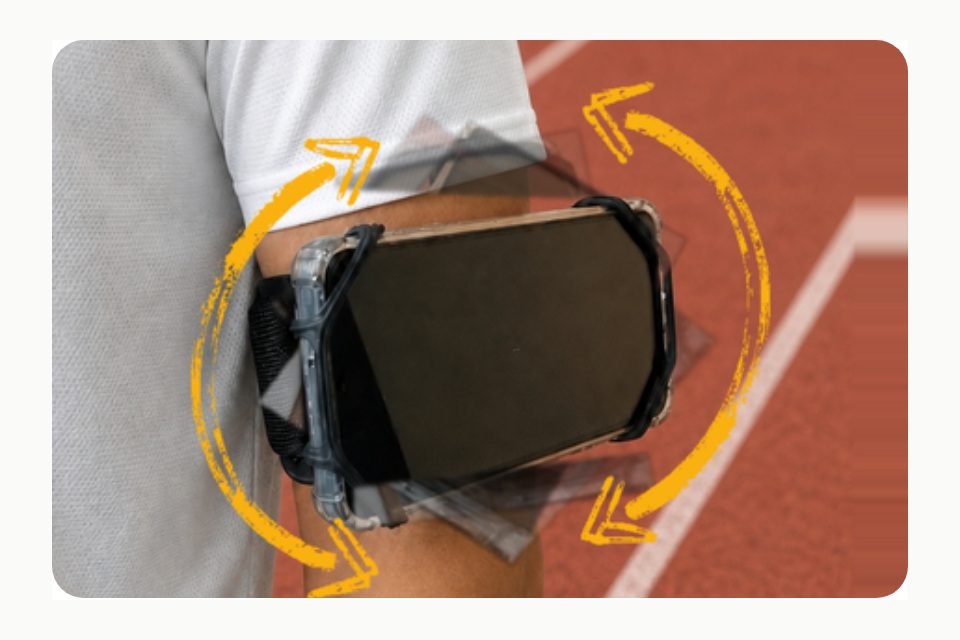
Rotation and detaching are different jobs
LULURUN's detachable mount uses a 90° twist lock. The holder and phone can come off while the band stays on your arm. The 360° rotation is for choosing orientation; detaching is for taking the phone off the band.
That distinction matters if you want to read a map during a break. You can stop somewhere safe, detach the holder, and use the phone without undoing the whole armband. Before moving again, remount it and check that the mount is securely locked. Do not assume that putting the holder back means it is ready without a check.
A visible screen is not an invitation to read messages as you run. Stop somewhere safe before using, adjusting or detaching the phone. You can decide on your playlist or route before leaving, then save changes for a pause away from moving traffic and other people.
Check your phone, case and arm first
The stated LULURUN phone range is 5.0–6.9 inches, with slim or clear cases. Thick, rugged and MagSafe wallet cases are not compatible. A clear case still needs to be slim; transparency does not make a thick case compatible. The screen-size range alone is not a guarantee that your particular phone-and-case combination fits.
There is no numerical maximum case thickness stated on the product page. The word "protective" on a case description does not establish compatibility, either. If you are unsure about your combination, ask LULURUN before ordering rather than treating the size range as a universal fit promise.
The stated upper-arm fit is 10–16 inches (25–41 cm). Measure around the part of your upper arm where you plan to wear the band, above the elbow. When fitting it, aim for snug without pinching. If it slips, stop and reposition it rather than tightening until it feels uncomfortable.
Set it up, then try a few easy steps
Place the phone in the silicone holder and check that every corner is held securely. Position the band on your upper arm, choose the orientation by hand while stopped, and confirm that the detachable mount is locked. Move your arm naturally, then walk or jog briefly to check the fit before picking up the pace.
If you want to change anything, stop first. After detaching and remounting the holder, recheck the corners and the mount lock before setting off again. A short fit check is more useful than choosing an angle indoors and assuming it will suit you outdoors.
LULURUN describes a snug upper-arm fit as helping minimize bounce, but some movement is normal. Rotation itself is not a stabilizer or a guarantee of perfect fixation. The armband is also sweat resistant, not waterproof; the open holder does not shield your phone from water. Changing the angle does not change that limitation.
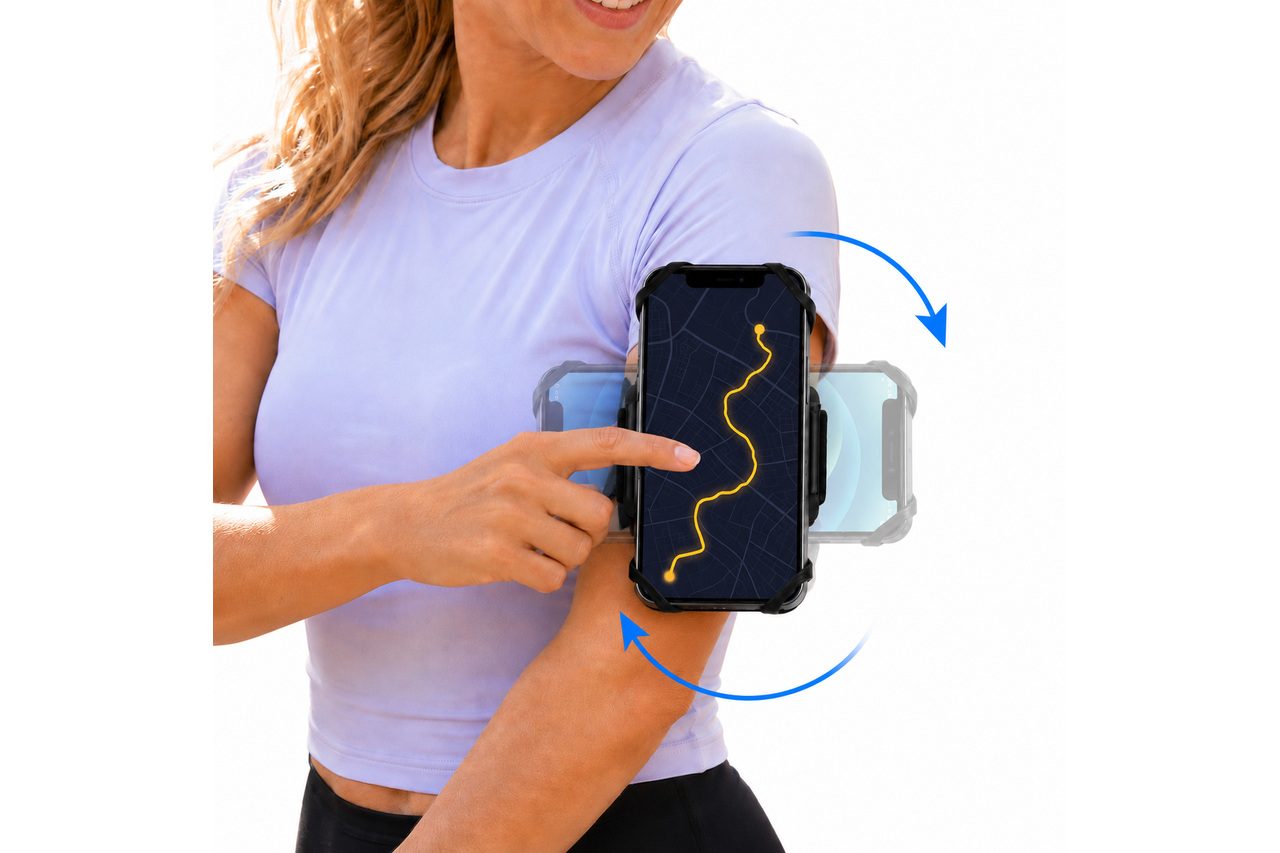
If choosing an angle is useful to you
If you want to choose your phone's orientation at a stop and your phone, slim case and upper-arm measurement meet the stated requirements, view the LULURUN armband on Amazon to consider it for your runs. Check those fit details before deciding. If your current pocket or carrier already works, you do not need to buy a rotating mount just for the feature.
FAQ
What part of the armband rotates? The mount rotates. On LULURUN, it turns a full 360° so you can manually change the orientation of the phone in its open silicone holder.
Will the screen automatically stay facing up? No. Choose the orientation by hand before starting or while stopped. Pause somewhere safe before adjusting, using or detaching your phone, and check the mount lock again after remounting.
Can rotation stop all phone movement? No. LULURUN says a snug upper-arm fit helps minimize bounce, but some movement is normal. Rotation changes orientation; it does not guarantee that the phone stays perfectly still.
Run happy, run free.